

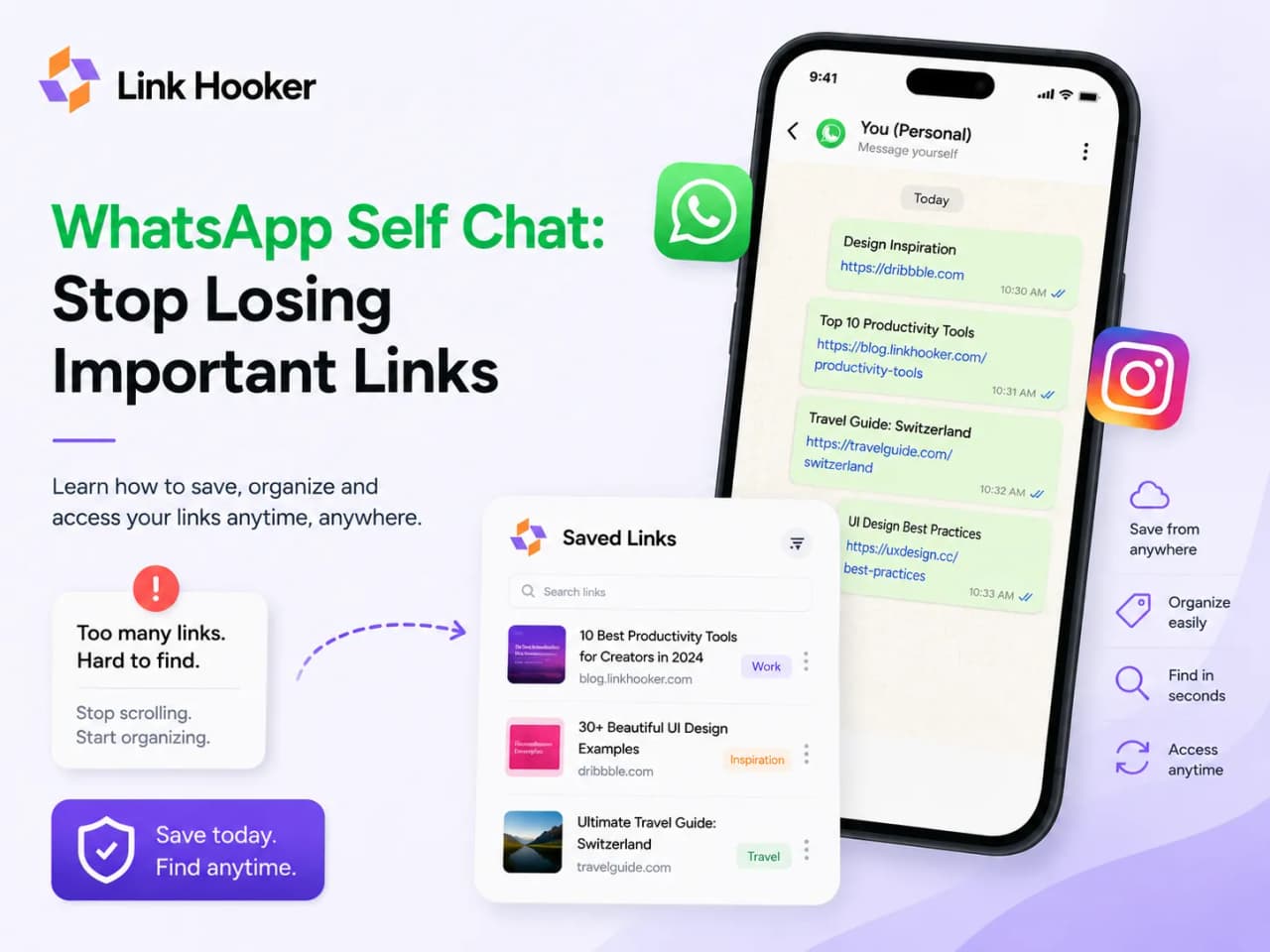
You saved that link. You know you did. You sent it to yourself on WhatsApp, right there in the self-chat. It was a startup you wanted to research, a tutorial someone shared in a group, a tool that looked useful. You thought: I'll come back to this later.
You never came back. Not because you forgot. Because later, when you tried to find it, it was simply gone - buried somewhere in a thread that had moved on without you.
This is the most common link-saving failure mode in India right now, and it is not a habit problem. It is a structural one. WhatsApp self-chat is not a storage system. It was never designed to be one.
What this post covers: Why WhatsApp self-chat swallows every link you send it, what actually happens to your saved links over time, and one concrete change you can make today to stop losing them permanently. Link Hooker is a proper link organizer - it saves URLs, not messages.
Table of Contents
Why does WhatsApp self-chat bury links so fast?
WhatsApp self-chat was designed as a scratchpad for quick thoughts, not a searchable archive. This is a fundamental design choice, not a bug, and it means the app treats every message you send equally - whether it is a voice note, a forwarded meme from your family group, or a link you genuinely wanted to keep.
The result is a feed where importance is determined entirely by recency. The moment you send that link and close the app, the clock starts. Every message you send afterwards pushes it one step further down. Voice notes, grocery lists, screenshots, forwarded videos from relatives - they all pile on top. Within a week, your link might be 200 messages deep. Within a month, it is effectively gone.
There is no concept of "pinning" an individual link in the thread, no folder system inside self-chat, no way to flag something as worth keeping. The WhatsApp Starred Messages feature exists, but most people do not use it consistently, and it still does not give you any way to search by topic, add notes, or browse by category.
The three things that make WhatsApp self-chat genuinely bad for saving links:
- No topic-based search inside links. You can search for keywords in your messages, but only if the keyword appears in the text around the link - not inside the page the link points to. If you just pasted the raw URL with no note, search cannot help you.
- No visual differentiation. A link to a startup, a Reel, a tutorial, and a news article all look identical in a chat thread. Nothing helps you distinguish why you saved something at a glance.
- No permanence. Your self-chat is a live thread. It keeps moving whether you pay attention or not. There is no archiving, no expiry warning, nothing to signal that something you saved three months ago is about to become unfindable.
The Scroll Depth Problem: A Visual Breakdown
Here is a concrete way to picture what actually happens to a link you save in WhatsApp self-chat.
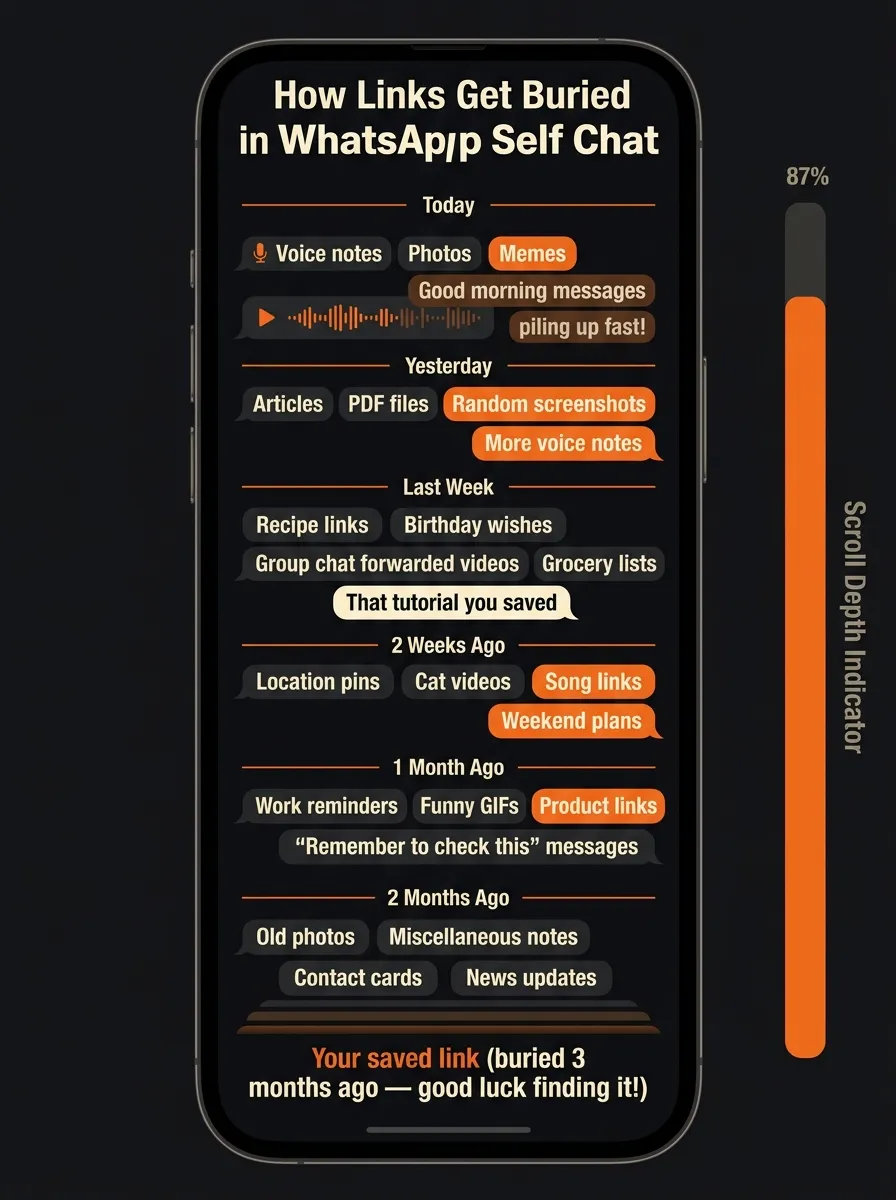 Every new message pushes your saved link one step deeper. After a few weeks, retrieving it requires scrolling through hundreds of unrelated messages.
Say you save a link on a Monday. By Wednesday, you have sent yourself two more links, a screenshot from a meeting, and forwarded a video from the family group. Your original link is already six messages deep - still findable if you know to scroll.
By the following Monday, it is 40 messages deep. By the end of the month, it could be 200 messages deep. And critically, you are not just competing with your own messages - in WhatsApp self-chat, many people also receive forwarded content from groups, screenshots of conversations, and photos that push everything older even faster.
Research on digital information retrieval consistently shows that once content is more than 2-3 scroll lengths away from the top, the effective retrieval rate drops sharply. People do not scroll methodically - they scroll with hope, stop when they feel they have gone too far, and give up. This is not a failure of memory. It is the physics of how chat threads work.
The buried link does not disappear. It is still technically there. But inaccessible content and missing content produce identical outcomes: you go without the thing you saved.
Why WhatsApp's Built-in Search Fails
WhatsApp does have a search bar. Most people try it once or twice when they cannot find a link, then stop. Here is why it reliably fails for this use case:
The search matches message text, not page content. If you sent yourself a bare URL - just the link, no description - WhatsApp can only search for characters in the URL itself. If you remember the domain name, you might find it. If you only remember what the page was about, search cannot help you at all.
The search returns conversations, not individual links. In a long self-chat thread, the result is just "here is that thread" - you still have to scroll to find the specific message.
No date filtering in the basic interface. If you roughly remember saving something "a few months ago", you cannot filter to that period without scrolling yourself, which is the exact problem you started with.
No type filtering. You cannot say "show me only links I sent myself" as distinct from photos, voice notes, or plain text messages.
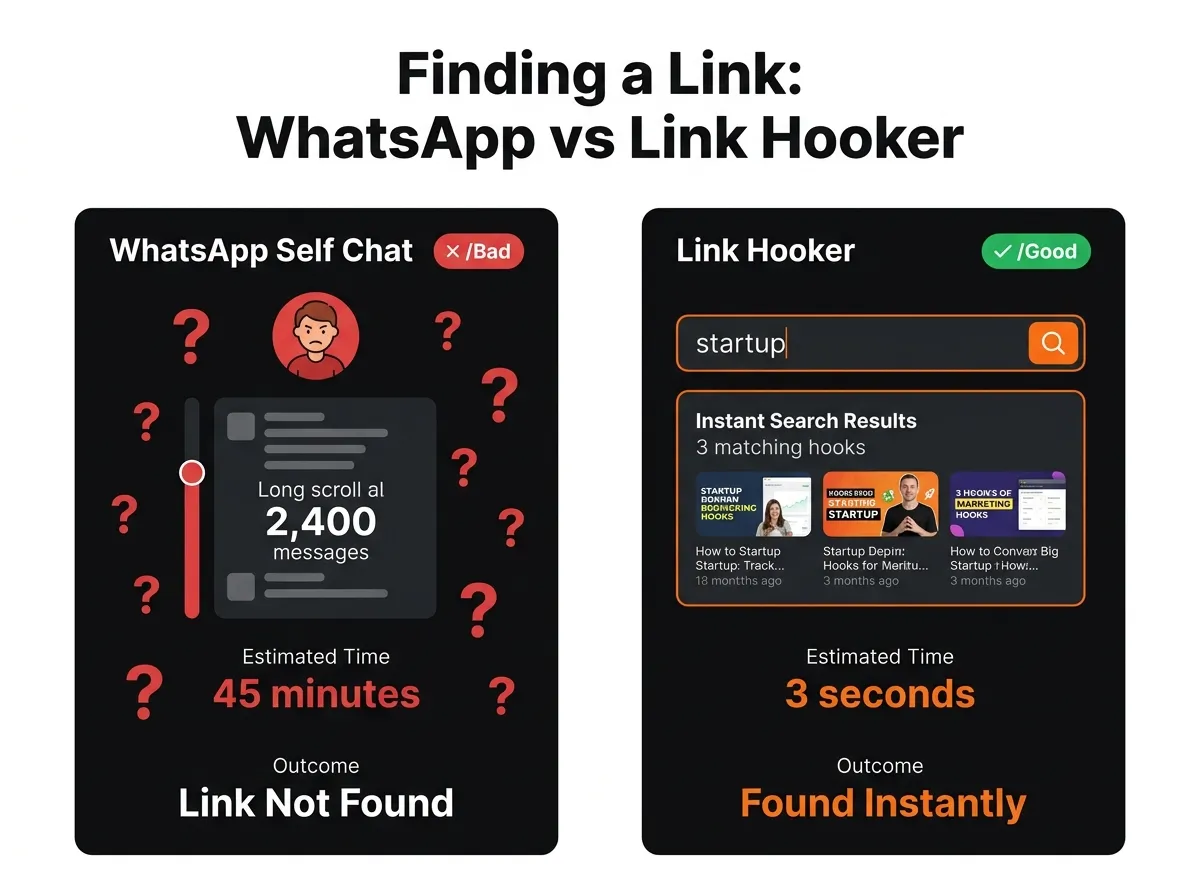 WhatsApp search returns the thread - not the link. A dedicated link organizer with proper search finds any hook in under 3 seconds.
This comparison is not abstract. The search feature in a proper link organizer works by indexing the title, description, and your personal notes for every link you save. You can type "startup pricing model" or "react tutorial" and get instant, relevant results regardless of when you saved the link or what you typed when you sent it to yourself on WhatsApp.
The Psychology of "I'll Come Back to This"
The self-chat saving habit is powered by a cognitive shortcut called prospective memory - the ability to remember to do something in the future. When you send a link to yourself on WhatsApp, you are delegating a future task to your future self. The problem is that future self has no reliable trigger.
Without a notification, a deadline, or a structured inbox to clear, the link just sits. And the longer it sits, the lower the chance you will retrieve it. This is sometimes called the out of sight, out of mind effect in information retrieval research, and it is one of the most well-documented patterns in personal knowledge management.
The save action and the retrieval action are separated by time, context, and an ever-growing pile of new content. WhatsApp was not designed to bridge that gap. The app's job ends at delivery.
What helps is removing the gap between saving and organizing. If the act of saving a link also gives it a title, a category, a note, and a searchable record, the retrieval problem mostly solves itself. You do not have to remember when you saved it, what group it came from, or what the URL looked like. You just search for what you remember about the content.
The Link Graveyard: Every Platform That Does This
WhatsApp self-chat is not uniquely bad. It is the most commonly used informal link saver in India, which is why it gets the most attention, but the same burial pattern happens across every platform that was not built for this specific job.
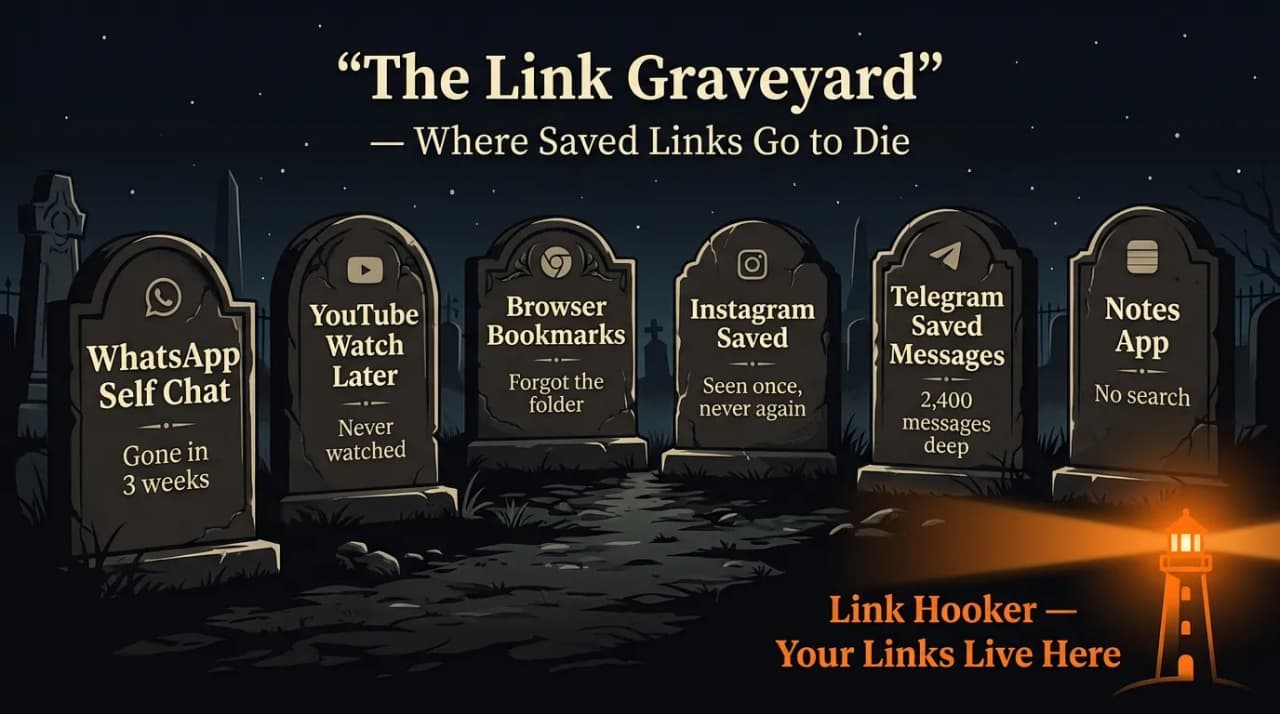 WhatsApp, YouTube, Browser Bookmarks, Instagram Saved - every platform designed for something else eventually becomes a link graveyard.
YouTube Watch Later is the most direct equivalent. Every video you add sits in a list that only grows, with no search by topic, no notes, no way to remember why you added something six months ago. Most Watch Later lists are hundreds of videos deep and functionally abandoned.
Browser bookmarks start working and stop working at the same threshold - somewhere around 50-100 bookmarks, depending on how carefully you folder them. Past that point, the cognitive cost of deciding which folder does this go in is high enough that most people either dump everything into an unsorted list or stop bookmarking at all.
Instagram Saved has the exact same scroll problem as WhatsApp self-chat, with an added wrinkle: Reels and posts disappear from your saved collection if the creator deletes them or makes their account private. You saved it. It is gone anyway. If reels are specifically what you keep losing, see How to Save Instagram Reels So You Actually Watch Them Later.
Telegram Saved Messages is a slightly better version of WhatsApp self-chat - it has better search and supports file previews - but it still provides no way to categorize, tag, or note why you saved something. It is a cleaner pile, but it is still a pile.
The pattern is consistent: any tool designed for something other than organized link retrieval will eventually produce a graveyard. The solution is not to use these tools more carefully. It is to stop using them for this purpose and move to a proper link organizer - one built from the ground up to save, categorize, and retrieve URLs.
How to Stop Losing WhatsApp Self Chat Links
The fix is not to stop using WhatsApp self-chat as a quick capture spot. That habit works fine. The problem is treating it as permanent storage.
Here is a workflow that actually holds up over time:
Step 1: Keep using WhatsApp self-chat as a quick capture inbox. When something interesting comes up and you do not have time to deal with it, drop the link in your self-chat. That is fine. The goal is not to stop using WhatsApp for this. For the full save-and-organize method for both WhatsApp and Instagram DMs, see How to Save and Organize Links from WhatsApp and Instagram DMs.
Step 2: Set a weekly processing window. Every Sunday - or any recurring day that works - spend five minutes clearing your self-chat. Copy each link that still seems worth keeping and paste it into a proper link organizer. Delete the rest.
Step 3: Let the organizer do the metadata work. A good link organizer automatically pulls the page title and a preview image when you paste a URL. You do not have to type a description. Add a short note if you want to remember why you saved it. That is optional but useful.
Step 4: Sort into broad categories. You do not need a perfect taxonomy. Three or four folders - "Work", "Personal", "Read Later", "Ideas" - are enough to start. The point is that keyword search does most of the retrieval work anyway, and folders are just for broad context.
Step 5: Stop going back into WhatsApp to find old links. Once it is in the organizer, search there. Once it is not in the organizer, it was probably not worth keeping. Let old chat history be chat history.
This is the switch from treating WhatsApp as a library to treating it as a temporary inbox. Libraries have retrieval systems. Inboxes are meant to be emptied.
What a Proper Link Organizer Looks Like
The core requirement for a link organizer that solves this problem is full-text search across your saved links - not just by URL or title, but by the content of the page and the notes you attached. For a deeper look at what full-text search actually means and how different tools handle it, see Full-Text Search: Why Most Bookmark Apps Can't Find What You Saved.
Link Hooker's search indexes every hook you save with its title, description, and your personal notes, so you can retrieve anything by searching for what you actually remember about it, not what you happened to type when you saved it.
Beyond search, the other things that matter for this specific use case:
- Visual differentiation. Cards that show a title, thumbnail, and content type so you can scan a folder and recognize what things are without opening them.
- Notes on save. A field to write why you saved something, which is the single most useful piece of information for retrieving it later.
- Folders that actually work. A small number of broad categories that reduce the cognitive cost of organizing as you go.
- Cross-device access. Your WhatsApp self-chat is on your phone. Your link organizer should be accessible from anywhere, so you can save on mobile and browse on desktop without friction.
Link Hooker covers all of this on the free plan, which includes up to 150 hooks, 2 folders, and basic search - enough to replace WhatsApp self-chat as your primary link store and see whether the habit sticks before committing to anything. If you need a proper link organizer that does not bury everything in a feed, that is exactly what Link Hooker was built to be. See the full breakdown on the features page or compare tiers on pricing if you already know you will need more.
Key Takeaways
- WhatsApp self-chat buries links not by accident but by design - it is a conversation thread, not an archive.
- The scroll depth problem is structural: every new message pushes saved links further down until they are effectively unreachable.
- WhatsApp's built-in search matches message text, not page content, which means it cannot help when you remember what a link was about but not the exact URL or text around it.
- The same burial pattern happens in YouTube Watch Later, browser bookmarks, Instagram Saved, and Telegram Saved Messages - any tool not built specifically for link retrieval.
- The fix is a simple two-step system: use WhatsApp self-chat as a temporary inbox, process it weekly into a proper link organizer.
- A proper link organizer gives you full-text search, notes, and visual organization - three things a chat thread will never provide.
Frequently Asked Questions
Why do I keep losing links I save on WhatsApp? ▼
Can I use WhatsApp Starred Messages to save links reliably? ▼
How is saving a link in Link Hooker different from saving it in WhatsApp? ▼
What if I have hundreds of links already buried in old WhatsApp chats? ▼
Is there a free way to organize links properly? ▼


Harshal Saraf
Founder, Link Hooker
Harshal built Link Hooker after losing one too many links in his own WhatsApp self-chat. The startup ideas, the tutorials, the tools - saved in haste and gone by the time he went looking. Link Hooker exists because no tool he could find was actually built for this problem. Hook it before you lose it.